 1 unit Unit1;
 2
 3 interface
 4
 5 uses
 6   System.SysUtils, System.Types, System.UITypes, System.Classes, System.Variants,
 7   FMX.Types, FMX.Controls, FMX.Forms, FMX.Graphics, FMX.Dialogs, System.Actions,
 8   FMX.ActnList, FMX.Objects, FMX.Controls.Presentation, FMX.StdCtrls,
 9   FMX.MediaLibrary.Actions, FMX.StdActns;
10
11 type
12   TForm1 = class(TForm)
13     Button1: TButton;
14     Button2: TButton;
15     Image1: TImage;
16     ActionList1: TActionList;
17     TakePhotoFromLibraryAction1: TTakePhotoFromLibraryAction;//手动增加的Action
18     TakePhotoFromCameraAction1: TTakePhotoFromCameraAction;//手动增加的Action
19     procedure TakePhotoFromLibraryAction1DidFinishTaking(Image: TBitmap);
20     procedure TakePhotoFromCameraAction1DidFinishTaking(Image: TBitmap);
21   private
22     { Private declarations }
23   public
24     { Public declarations }
25   end;
26
27 var
28   Form1: TForm1;
29
30 implementation
31
32 {$R *.fmx}
33 {$R *.NmXhdpiPh.fmx ANDROID}
34
35 //来自手机照相功能
36 procedure TForm1.TakePhotoFromCameraAction1DidFinishTaking(Image: TBitmap);
37 begin
38   Image1.Bitmap.Assign(Image);
39 end;
40
41 //来自手机的本地相册
42 procedure TForm1.TakePhotoFromLibraryAction1DidFinishTaking(Image: TBitmap);
43 begin
44   Image1.Bitmap.Assign(Image);
45 end;
46
47 end.

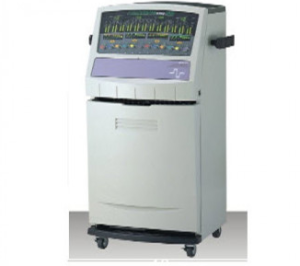

 迈达胃肠电图检测系统MEGG-04A型2026-05-14

